








Shenzhen Tendzone Intelligent Technology Co., Ltd. is one of the most reliable manufacturers and suppliers of campus digital information management platform in China. Please feel free to wholesale high quality campus digital information management platform made in China here from our factory. We also accept customized orders.

Overview
The campus digital information management platform software platform adopts B/S architecture, Linux , Web interface B/S architecture, and no plug-ins or client software need to be installed for live broadcast and on-demand. It uses MySQL database to ensure the security and stability of data, deploys the school's internal network, and controls and manages through the Web, integrating centralized control management , online class inspections , resource management , and business platform docking . The platform uses the MQTT protocol to achieve communication with the classroom Internet of Things and control classroom lighting, air conditioning, fans, curtains and other environmental equipment. It uses streaming media live broadcast technology to achieve live broadcast and on-demand sharing of resources.
Features
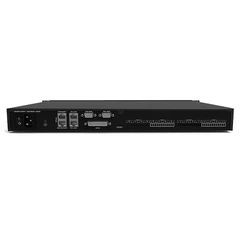
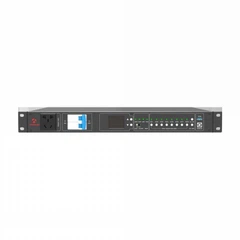
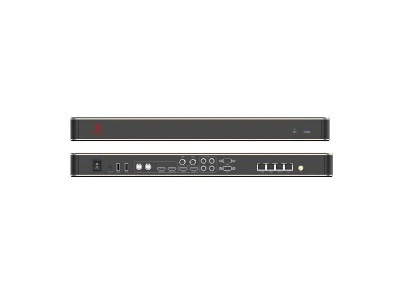
Platform Hardware
1. 1U rack server, single power supply;
2. CPU: 1
3. Memory: 1 X 32GB/DDR4/2133 or 2400 or 2666MHz/ECC/REG
4. Hard disk: 1 X 2TB/SATA/7200RPM/3.5-inch/enterprise level
5. Power supply: 1 X 600W single power supply
Platform Software


- The platform adopts B/S architecture and Linux operating system; the platform uses the web to publish resources and manage and control them in the background; the background consists of a personal center, a live broadcast center, a resource center, an intelligent control center , an information center, a data center, a user center, and basic configuration. ; By extending the authorization model, it can meet the needs of large-scale live broadcast on demand, and expanding a single server can increase the live broadcast capacity of 200 people @ 2M.
- Support the establishment of a multi-level user organizational structure system;
- Supports docking with smart education terminals. The platform can perform routine control of smart education terminals and quickly log in to the device details page.
- Support IoT control . The platform is connected to the IoT gateway through the network protocol . The gateway and the module controller use the ZigBee protocol to communicate, which can control classroom lighting, fans, curtains and other environmental equipment;
- Support sensor access, the platform can present classroom temperature, humidity, PM2.5, CO2, PM10, TVOC, formaldehyde and other air quality data information (the classroom is equipped with collection sensors);
- User and role authority management function, the system can flexibly configure user information and role grouping authority;
- Support user management. Users can define user levels by themselves, including administrator users, general users, and NFC card users. Different users have different role permissions. The platform supports hierarchical permission settings, and system administrators have the highest level of permissions.
- Supports centralized management and storage of recording resources, and manages resource classification and label publishing;
- Supports live broadcast and on-demand services to meet the needs of online live broadcast and post-on-demand video resources on campus;
- Supports display of course name, classroom, lecturer, subject, and course publishing status.
- Live and on-demand display: approved live and on-demand resources are displayed on the platform front desk; support video lists and courseware previews.
- Supports class schedule configuration. Smart education terminal devices record courseware according to the class schedule and automatically upload it to the platform after recording is completed.
- Data center, supports presentation of alarm information, room energy consumption, online users, data dashboards, etc.
- The information center, through the establishment of an information resource library, publishes information to the small screen for information display and notification;
- The live broadcast center supports the deployment of multiple servers to expand the media capabilities of live broadcast and the number of users; supports specifying a certain media service when adding live broadcast or automatically selecting the media server with the largest remaining capacity when the live broadcast starts; supports RTSP pull stream, RTMP push stream, and local video file source conversion to live broadcast (HTTP-FLV/RTMP); supports live broadcast recording and comment control; supports user viewing control: public (no login required), blacklist (login required, some users cannot watch), whitelist (login required, specified users can watch); when no cover is specified, the live broadcast automatically generates a cover; live broadcast waiting countdown; after the recording function is turned on, you can watch it back during and after the live broadcast (the recorded file is divided into 30 minutes); when the file is live broadcast, it supports file list and automatically switches after playing;
- Personal center: manage personal classroom rooms and reservation information according to permission classification; establish common operation navigation interface through custom drag and drop navigation;
- Platform management: management of platform information, copyright, authorization, operation logs, and system upgrades;
- The system supports configuration operations for timetables, subjects, and class hours, and provides a unified management list for connected devices;
- Supports high and low stream multi-screen preview of audio and video signals in online classrooms, and can switch preview modes;
- The platform supports access to WeChat mini-programs, which can be set up in the cloud. WeChat mini- programs support classroom screen viewing, classroom class selection, online status and operation control of IoT control devices in the classroom , online status and routine control of devices, and display of classroom sensor data.
Hot Tags: campus digital information management platform, China campus digital information management platform manufacturers, suppliers, factory


