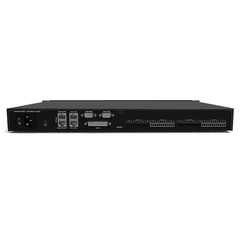






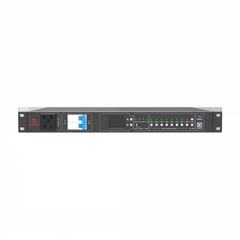
The instructions for using the audio processor mainly include the following steps:
Preparation :
Read the manual: Before using the digital audio processor, be sure to read the product manual carefully to understand the product's functions, interface layout, operation methods and safety precautions.
System Connection: According to the system requirements, connect the digital audio processor to the audio system correctly, determine which output channel is used to control the full-range speaker, which output channel is used to control the subwoofer, etc.
Setup Phase:
Enter the editing interface: After connecting the cable, enter the editing interface of the processor according to the instructions of the manual. The entry method may be different for different products, please refer to the product manual for specific methods.
Routing Settings: Utilizes the routing function of the processor to determine the signal source of the output channel. For example, if you choose stereo sound reinforcement, you can select the output channel, 3 from input A, and the output channel, 4 from input B.
Crossover point setting: Set the working frequency band of the speaker according to the technical characteristics or actual requirements of the speaker, that is, the crossover point. In the crossover module, set the lower and upper frequencies, and select the appropriate filter mode and slope.

Level Adjustment: Check whether the initial level of each channel is at 0dB, if there is any deviation, you need to adjust it to 0dB. Level control is generally set in the GAIN function.
Commissioning phase :
Polarity check: After connecting the signal to let the system emit sound, use the polarity phase meter to check whether the polarity of the speaker is uniform. If there is any inconsistency, check whether the line is reversed; If the line is correct but the polarity is reversed, the polarity of the signal can be reversed using the polarity flip function of the processor's output channel.
Delay adjustment: Use the tool to measure the transmission time difference between the full-range speaker and the subwoofer, and use the delay function of the processor to adjust the delay of the speaker with a longer transmission time, so that the transmission time of each speaker is the same.
Equalization Adjustment: Enter the equalizer setting interface and adjust it as needed to achieve the best sound quality.
Functions and Application Scenarios of Audio Processors :
Input Configuration: Set the correct input channel and parameters according to the audio source, such as gain, phase, etc.
Output configuration: According to the needs of the speaker or power amplifier, configure the appropriate output parameters to ensure the matching of sound quality and power.
Dynamic Processing: Set dynamic processing functions such as compressors and limiters to optimize the dynamic range of the audio.
EQ Adjustment: Use the processor's EQ function to fine-tune the frequency response of the audio.
Add special effects: If needed, you can add special effects such as reverb and delay to enhance the expressiveness of the audio.